Keon 1.9 Starknet wallet
See what you sign before you sign it.
Keon runs every transaction first and shows you the result: what leaves your wallet, what arrives, which apps get access to your tokens, and the fee.

 · iOS soon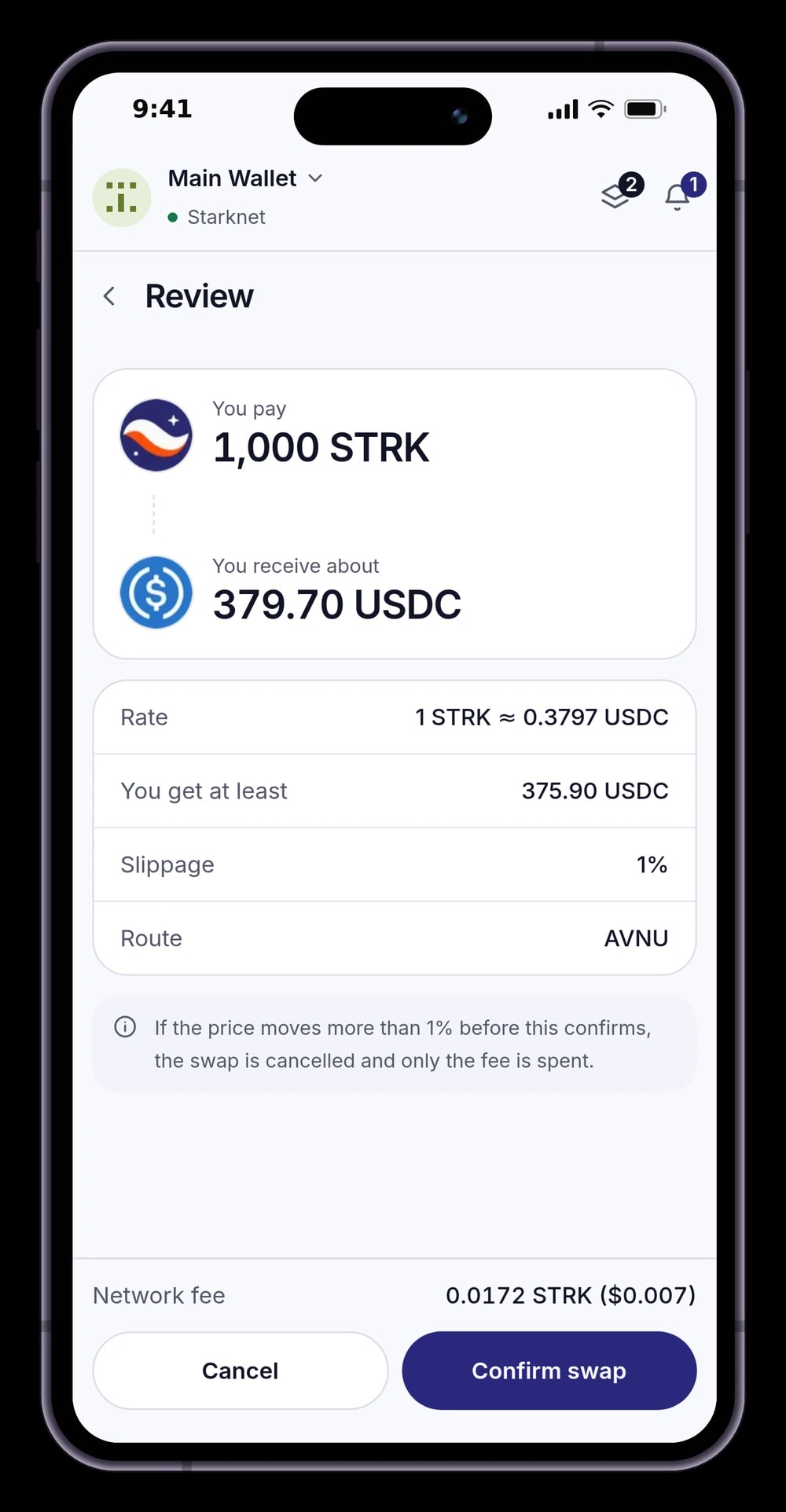
Self-custodial
Your recovery phrase is encrypted on your device. Keon never sees it.
Simulated
Every transaction is run first, so failures show before you pay.
Bring your wallet
Recover accounts from a Ready (Argent) or Braavos phrase.
On every device
Browser extension and Android, kept in sync, encrypted end to end.
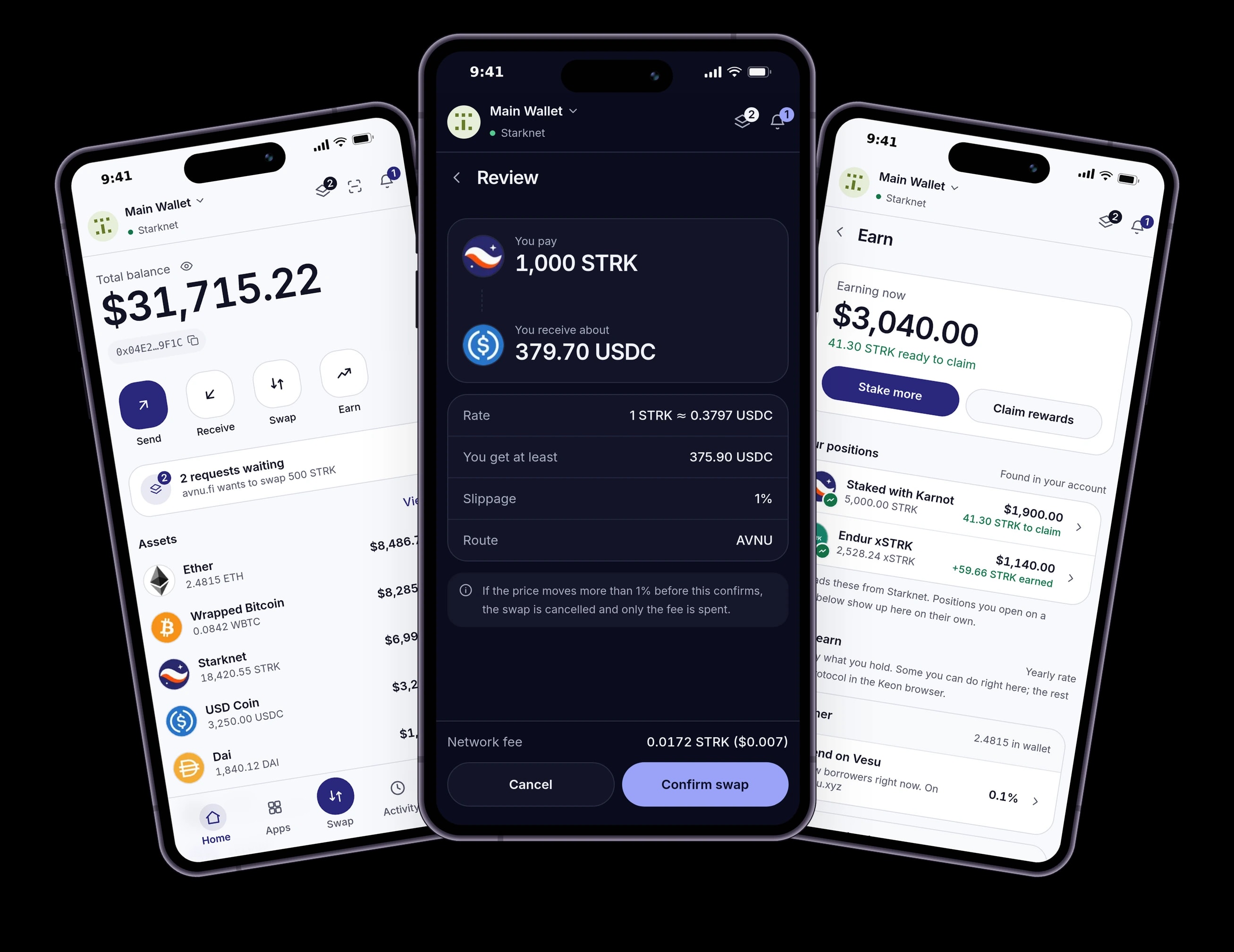
Fig 0.2 The app
Light or dark, nothing in the way.
Home, a swap review and Earn, exactly as they look in Keon. The same screens in the extension and on Android.
1.0 Safety
Nothing is signed blind.
Most wallet losses start with a request nobody read. Keon reads it for you and says, in plain words, what will happen.
How Keon keeps you safe1.1
Preview the result
Balance changes, new approvals and the fee in STRK and dollars, before you approve.
1.2
Stop the risky ones
Unlimited approvals, known scam sites and transactions that would fail are flagged. Approve turns red, and you confirm on purpose.
1.3
Decide what apps can do
Choose each app's permissions when it connects. Session keys can approve small, routine actions for minutes, within limits you set.
2.0 Everyday
Everything you hold, in one place.
Tokens, collectibles and staking on Starknet, with prices you can read and history that makes sense.
2.1
Portfolio
Your total in dollars, every token's price and chart, and one activity list per account.
2.2
Swap
The best rate across Starknet's exchanges through AVNU, with price impact shown up front.
2.3
Earn
Stake STRK with a validator, or earn through Endur and Vesu. Rates and rewards in one tab.
2.4
Collectibles
Browse NFTs by collection and send them from the same screen.
2.5
Many accounts
Use different wallet types, or import accounts from Braavos, Argent X, OpenZeppelin or a custom account class.
2.6
Sync across devices
Add an account on your laptop and find it on your phone. Encrypted before it leaves the device.
3.0 Apps
Use any Starknet app, from anywhere.
The same approval screen, whether the app runs in your browser, on another device or inside Keon on your phone.
Extension
Connect in the browser
Apps find Keon in Chrome, Brave and Firefox. Open it in the side panel to keep it next to the app.
WalletConnect
Scan to connect
Scan an app's QR code with your phone and approve there, while the app runs on your computer.
Android
Browse inside Keon
Open apps from the Apps tab, sorted by category. Requests come straight back to Keon.
4.0 Download
Get Keon on every device you use.
Free. Install it in your browser, on your phone, or both, and keep the same accounts everywhere.
All platforms- Coming soon
ChromeBrowser extension
Chrome Web Store. Also works in Edge, Arc and Opera.
- Coming soon
BraveBrowser extension
Installs from the Chrome Web Store.
- Coming soon
FirefoxBrowser add-on
Firefox Add-ons.
- Coming soon
AndroidMobile app
Android 7 or later, with an in-app browser for Starknet apps.
iPhone and iPadMobile app· Coming soon
In development. Leave your email and we will tell you when it is out.
5.0 Changelog
Recently shipped.
v1.9.0 · Oct 18, 2026
You decide where sync runs, and you can delete the synced copy.
Turn sync off on a device. Settings > Security > Sync has a switch for this device. While it is off, nothing is sent from it. Other devices keep their own setting.
v1.8.5 · Oct 16, 2026
Earn shows proper loading placeholders.
Clearer loading in Earn. Positions, validators and rates show placeholders shaped like what is coming, and full screens show a spinner, instead of a line of text.
v1.8.4 · Oct 16, 2026
Anything you can open now ends in an arrow.
Easier to tell what opens. Tokens, activity, Earn options, validators, account actions and the request and update cards on Home end in a small arrow, so you can see what opens without a label telling you.
6.0 Questions
Before you install.
Who holds my keys?
You do. Your recovery phrase is created on your device and stored there, encrypted with your password. Sync only ever sends an encrypted copy that we cannot read, and Keon cannot move your funds.
Can I bring my Ready (Argent) or Braavos wallet?
Yes. Enter the recovery phrase and Keon finds the accounts that phrase controls, including accounts made by Ready (Argent) and Braavos.
What does Keon check before I sign?
It runs the transaction against the live network and shows what would change. It also flags unlimited spending approvals, sites on scam lists and transactions that would fail.
Which networks does Keon support?
Starknet Mainnet and the Sepolia test network. Switch between them from the top of the wallet.
Is there an iPhone app?
It is in development. Use the extension on your computer or the Android app until then, and ask to be told when it is out on the Download page.
Does Keon cost anything?
No. Keon is free. You pay Starknet's network fee on transactions, and Keon shows it before you approve.
Start in two minutes.
Install, write down your recovery phrase, set a password. That is all.